Improving the Intranet
@ Canada's National Ballet School
Role: UX research consultant
As part of the University of Toronto’s capstone requirements, my team served as UI/UX consultants for our client, Canada’s National Ballet School. They sought help enhancing their intranet (i.e., a private network used by organizations to share internal information) by making it more engaging and easy to use for their diverse staff community.
Our qualitative research uncovered various usability and visual issues alongside a lack of user engagement features, negatively impacting users’ intranet experience. Consequently, our client gained a clear understanding of key user experience pain points, enabling them to prioritize improvements in usability, design, and engagement to boost intranet satisfaction and adoption.
Keywords: intranet, internal product, website, interview, expert review, literature review, desk research, primary research, secondary research, method triangulation, qualitative research, exploratory research, attitudinal research, foundational research
Disclaimers: Content is optimized for desktop viewing.
Background
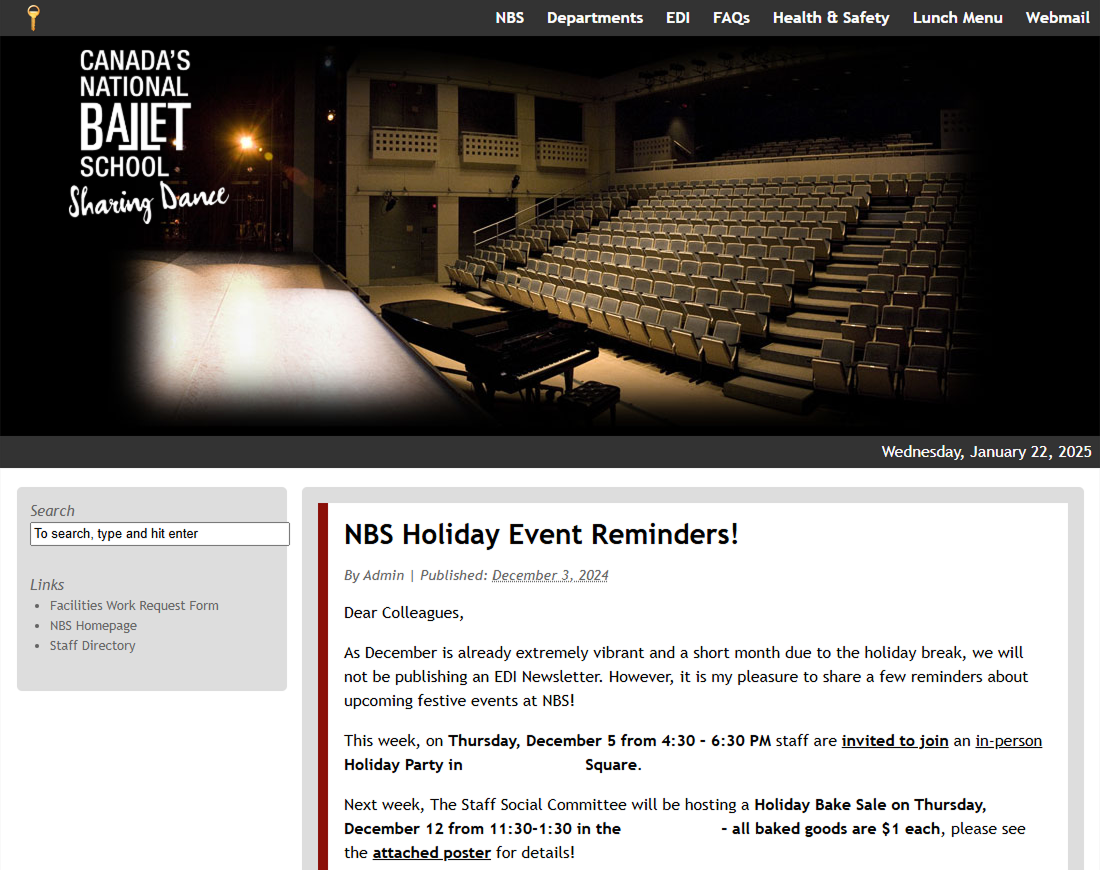
Following the recent development of an in-depth communication strategy, the client felt the organization's intranet (i.e., a private network used by organizations to share internal information) was an underserving tool for its communication objective. The client sought support to assess and improve the intranet, transforming it into a digital space that feels easy to use, engaging, and welcoming to their staff as a reflection of their brand.
Based on the objective, the project aims to answer the following research questions:
To be answered through primary research (e.g., interview, survey, etc.) —
- What are staffs' intranet pain points and unmet needs?
- What are the usability issues of the current NBS intranet?
- How might we improve them?
- What are the differences in communication needs/habits between desk-oriented and non desk-oriented staff?
- How does it affect their intranet usage?
To be answered through secondary research (e.g., literature review, desk research, etc.) —
- How does the current NBS intranet compare to best practices?
- What common intranet pain points exist, and how do they align with the current pain points experienced by NBS staff?
Methods
We conducted 30-minute interview sessions with 9 internal NBS staff.
Due to the small number of interview participants, we conducted further studies to strengthen the validity and reliability of our research findings. The project followed a strict timeline, thus recruiting more participants was not time-efficient at the time.
Additionally, a team member performed an expert review of the intranet with a focus on glaring usability issues.
Lastly, we performed secondary research (i.e., literature review and desk research) using peer-reviewed/trusted sources.
Participant Criteria
- NBS staff of varying demographics in:
- Workflow (desk OR non-desk oriented)
- Intranet usage (yes OR no)
Due to the internal/sensitive nature of the target participants, participant recruitment was administered by our client.
💭 Why interview? To supplement the exploratory nature of the research need.
As the team lacked strong research hypotheses due to a lack of prior data points, an interview became the method of choice due to its open-ended nature.
💭 Why expert review? It's a valuable method that doesn’t rely on many resources (i.e., time, participants, monetary incentives, etc.)
In addition, the team are trained to evaluate designs and find UI/UX issues. Subjective biases were accounted for by pairing the results with other data points.
💭 Why secondary research? To familiarize ourselves with intranet design best practices and learn from the mistakes of indirect competitors.
💭 Why these criteria? To account for the diverse nature of the NBS staff community.
Realistically, the intranet will be utilized by all community members. Thus, to ensure an inclusive and applicable research result, the participant pool should reflect the diverse community’s characteristics.
Results and Recommendations
The research uncovered four key pain points that affect user experience and communication across the intranet: homepage readability, navigation & search, employee engagement opportunities, and collaboration gaps. These themes emerged from interviews, expert review, and a review of industry best practices.
1. Poor content readability on the homepage
We identified four visual issues that were negatively impacting content readability. As an example, all intranet posts are shown on the homepage and formatted without truncation, which introduces visual clutter and causing cognitive fatigue.
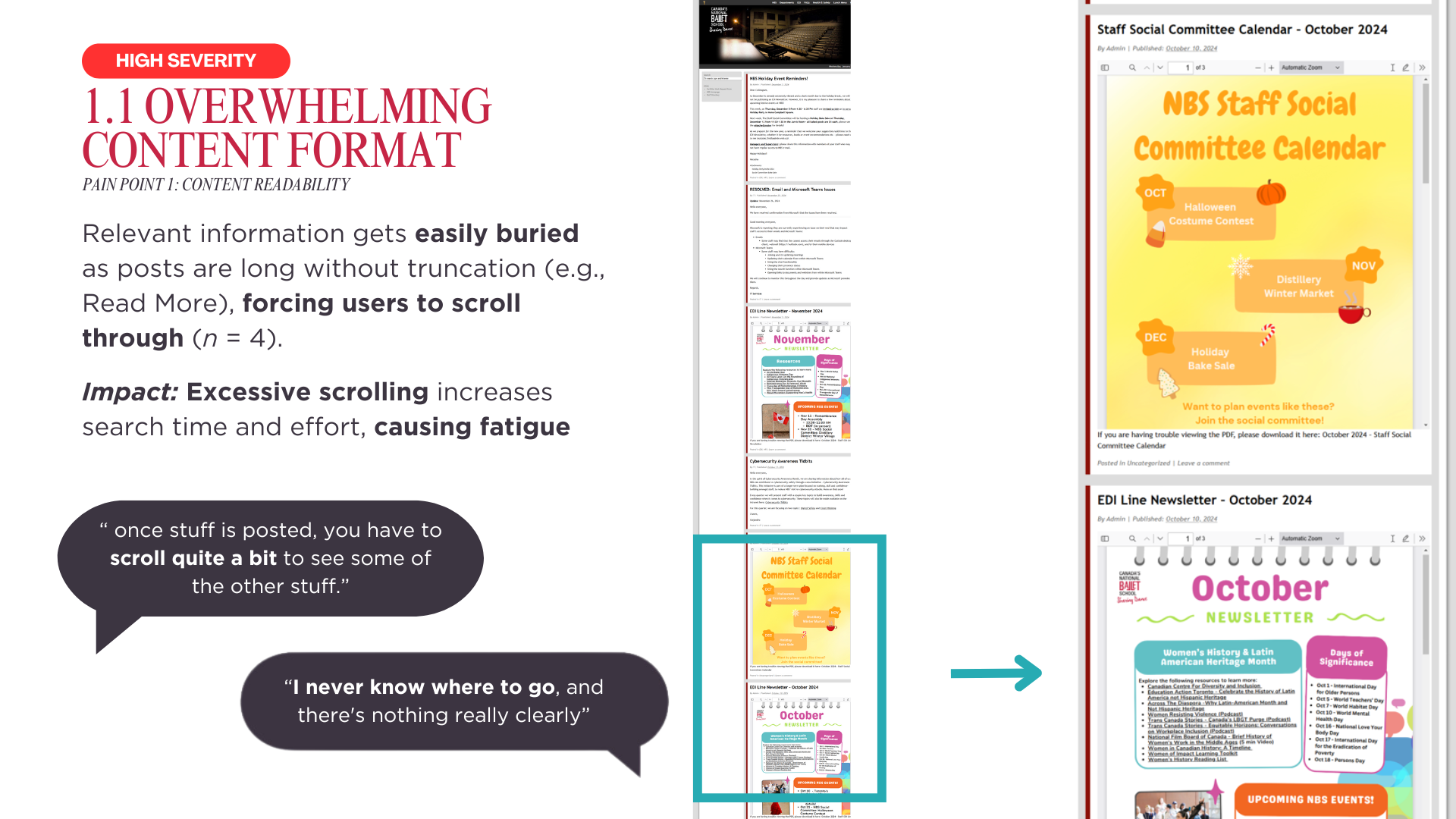
To address the four visual issues, we shared intranet homepage best practices along with a visual example.
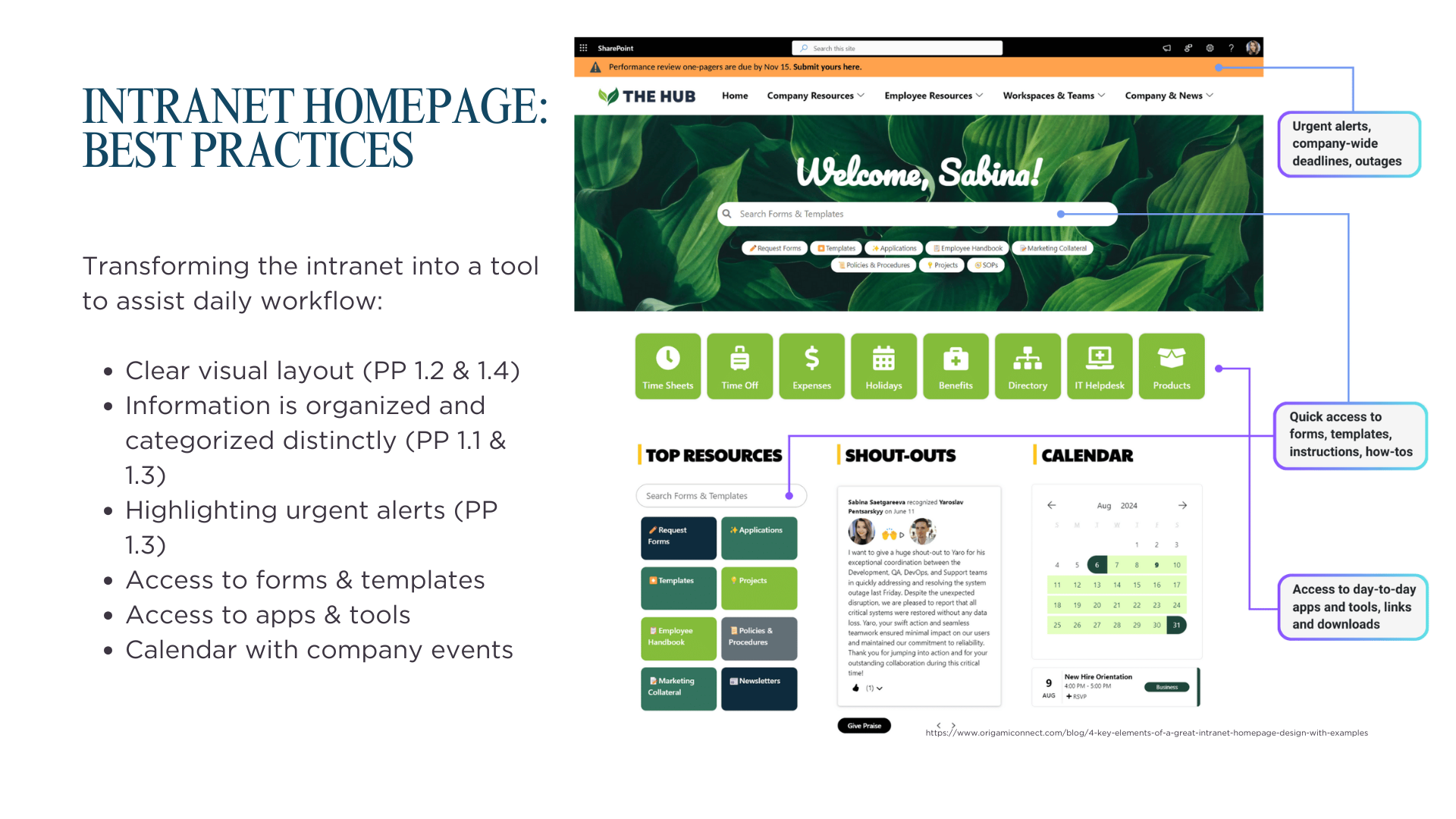
Impact: The client gained concrete visual recommendations to enhance the intranet’s visual clarity, likely leading to improved content readability and a better overall user experience.
2. Poor navigation and search experience
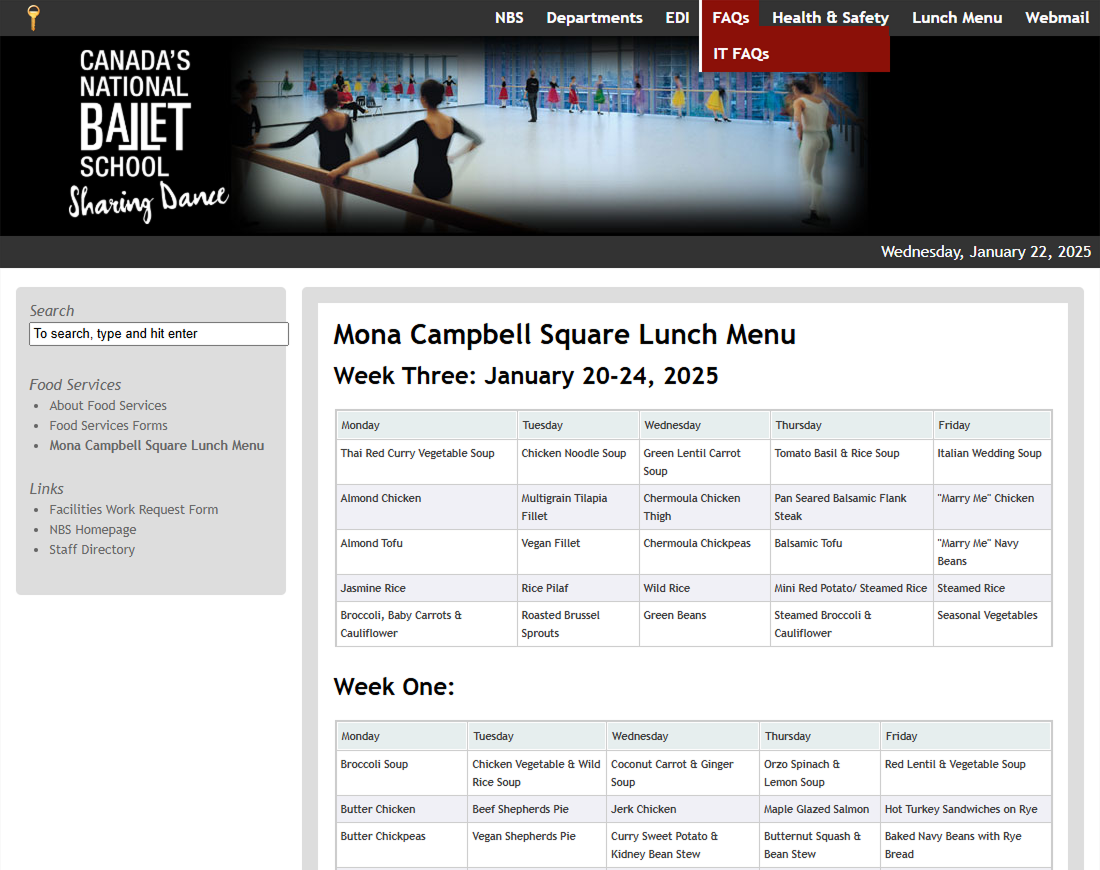
Three key navigation concerns were identified, with the most critical being the unintuitive design of the current navigation menu. Over half of the participants (n = 5) reported difficulty locating information on the intranet. This frustrating experience discourages users from exploring the site or spending extended time on the platform — a behavior pattern also supported by findings from our secondary research.
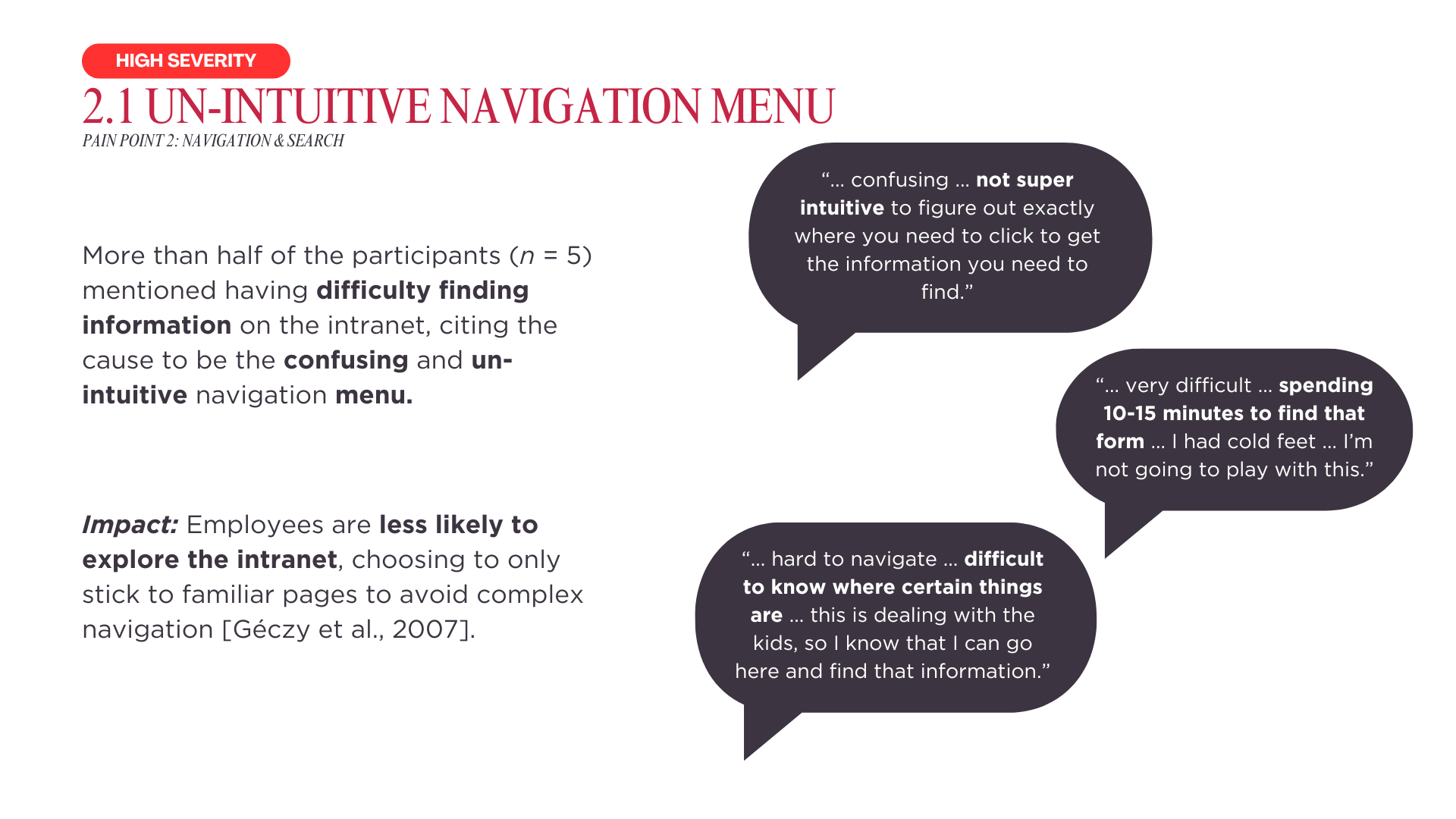
To improve the navigation menu, we recommended conducting follow-up research focused on optimizing the intranet’s information architecture. For the remaining navigation and search concerns, we provided design recommendations grounded in best practices, accompanied by visual examples to support implementation.
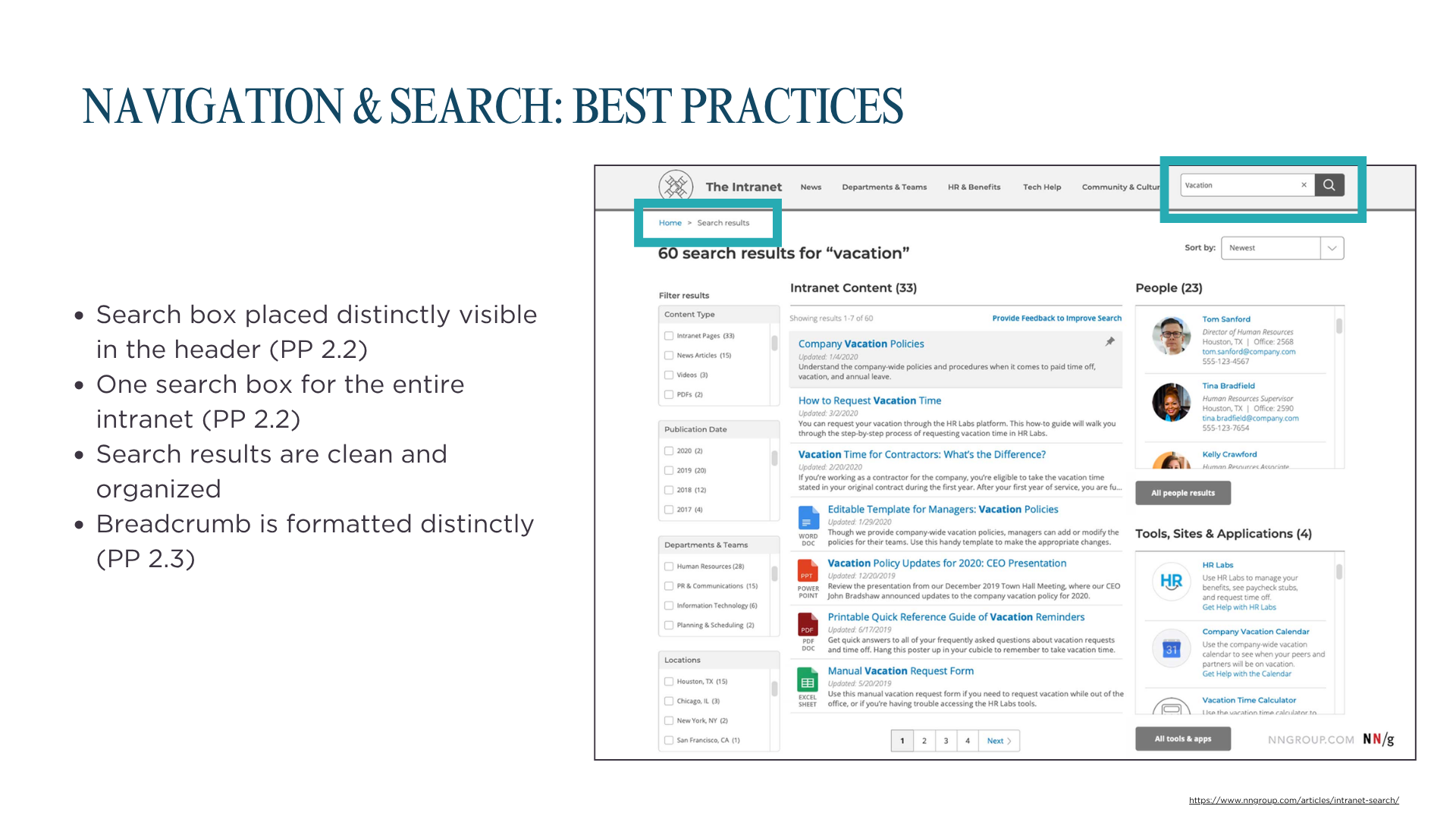
Impact: Our client gained a clearer understanding of effective search and navigation design principles, empowering them to make informed improvements to their intranet.
3. Lack of engagement opportunities
The research uncovered a notable gap in user engagement opportunities, with several participants (n = 4) highlighting the lack of interactive or engaging features on the intranet. This issue may contribute to low repeat usage and participation, as supported by our secondary research.
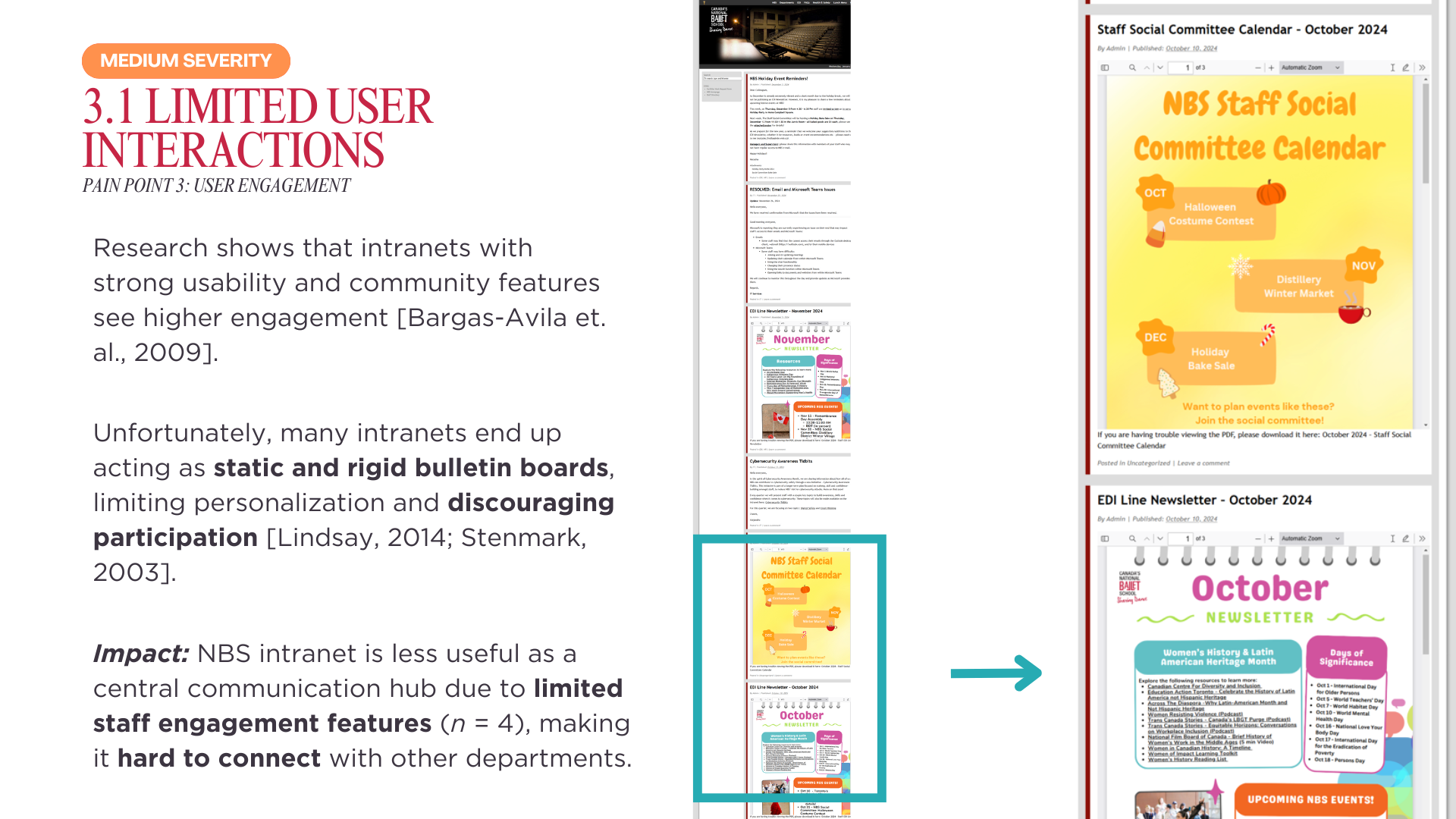
In addition, the few existing engagement features are not visually prominent —formatted in a way that fails to capture attention, leaving many users unaware of their presence, as reflected in the following user quote.
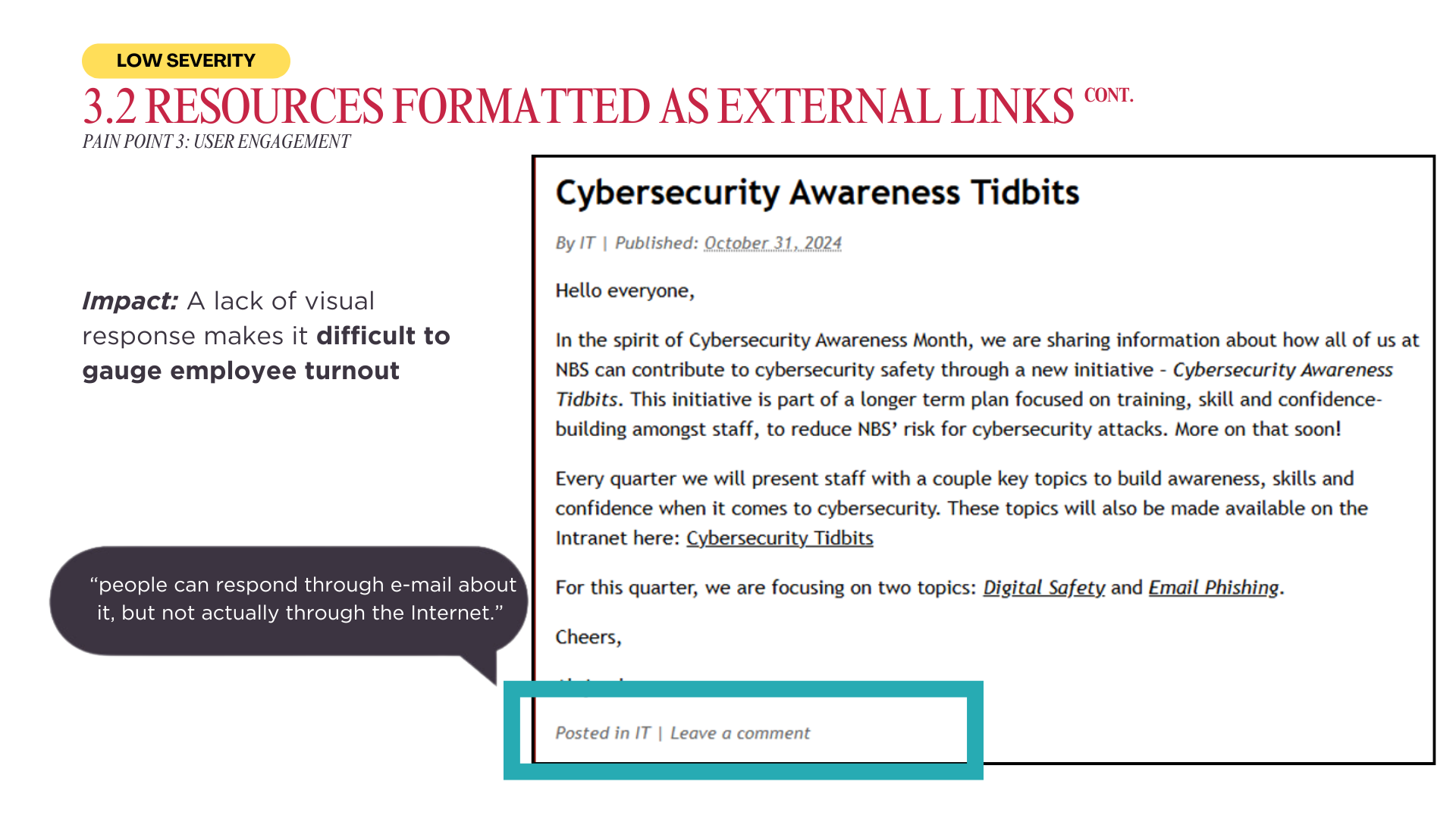
To support ideation around engagement features, we provided curated examples from other intranets—including employee highlights—as practical inspiration for encouraging employee participation.
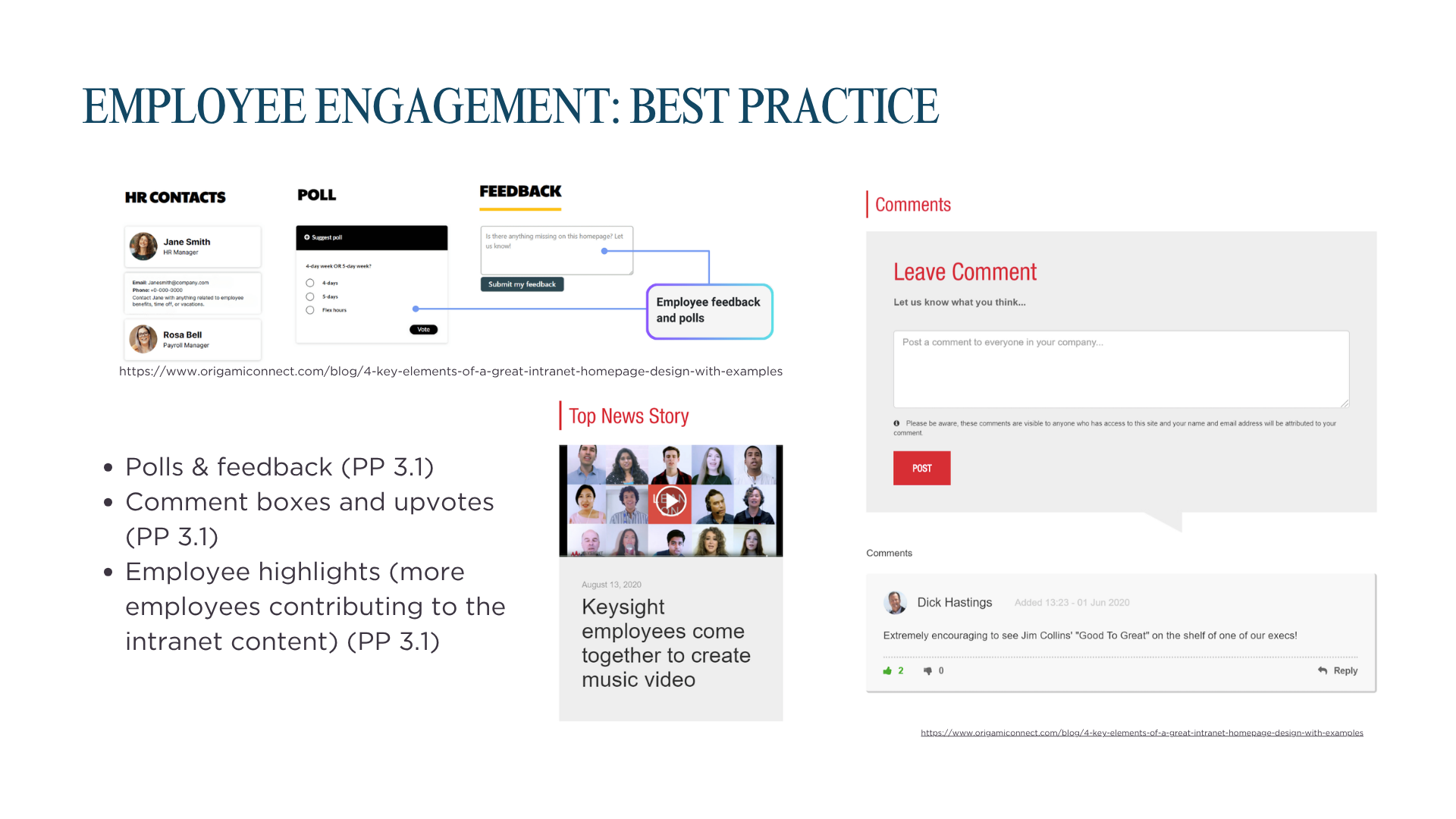
Impact: The client was better equipped to conceptualize and implement features that could boost user interaction, foster community-building, and enhance overall intranet adoption.
4. Lack of relevant information, affecting collaboration.
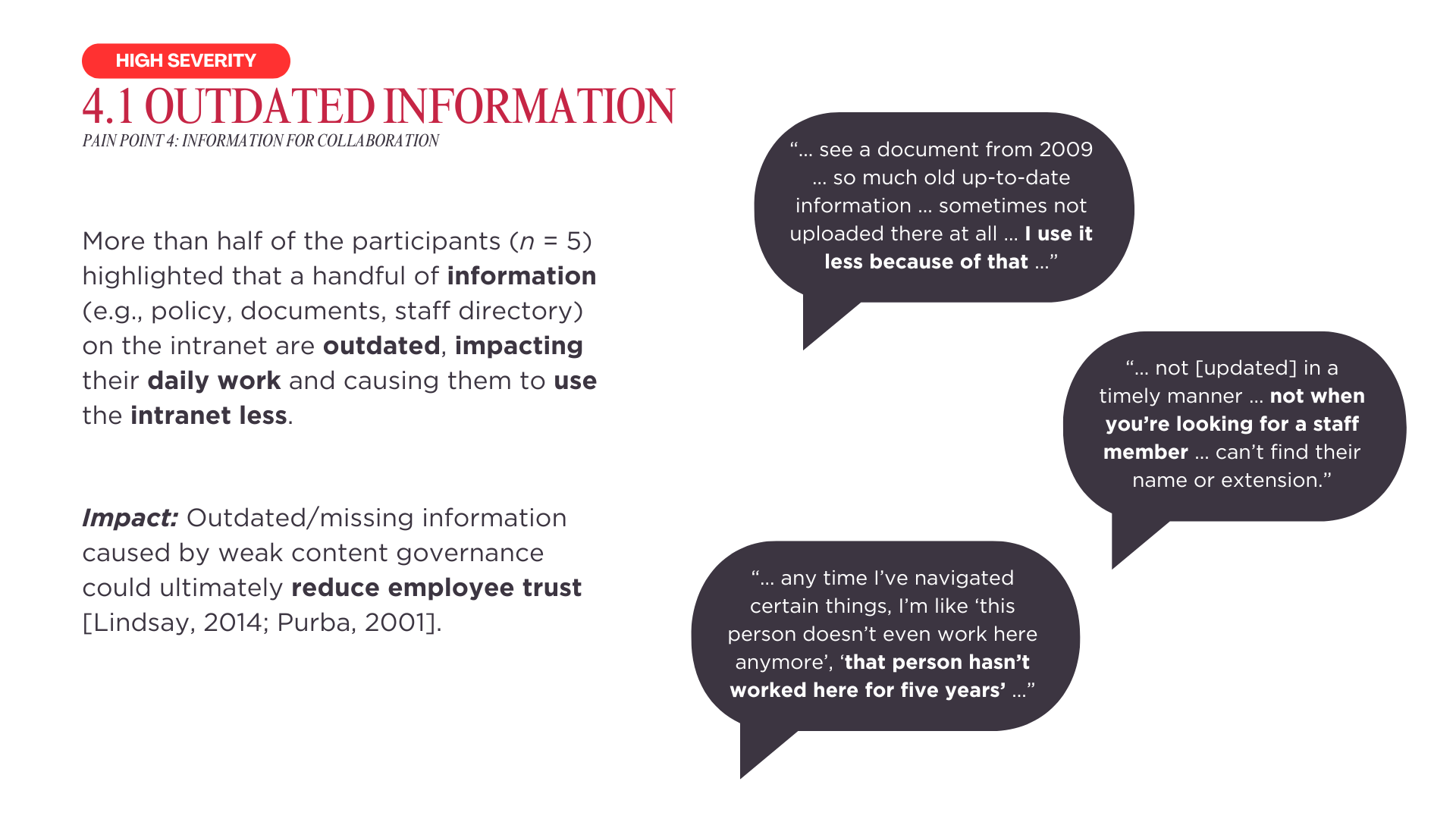
Our research revealed that the intranet’s content quality and variety are falling short of user needs, with issues like outdated information and limited contributions from different departments. Secondary research pointed to unclear content management governance as a potential root cause.
To help address this, we presented different types of content management structures, along with their pros and cons, to serve as reference material should the client choose to restructure the intranet’s content creation workflow.
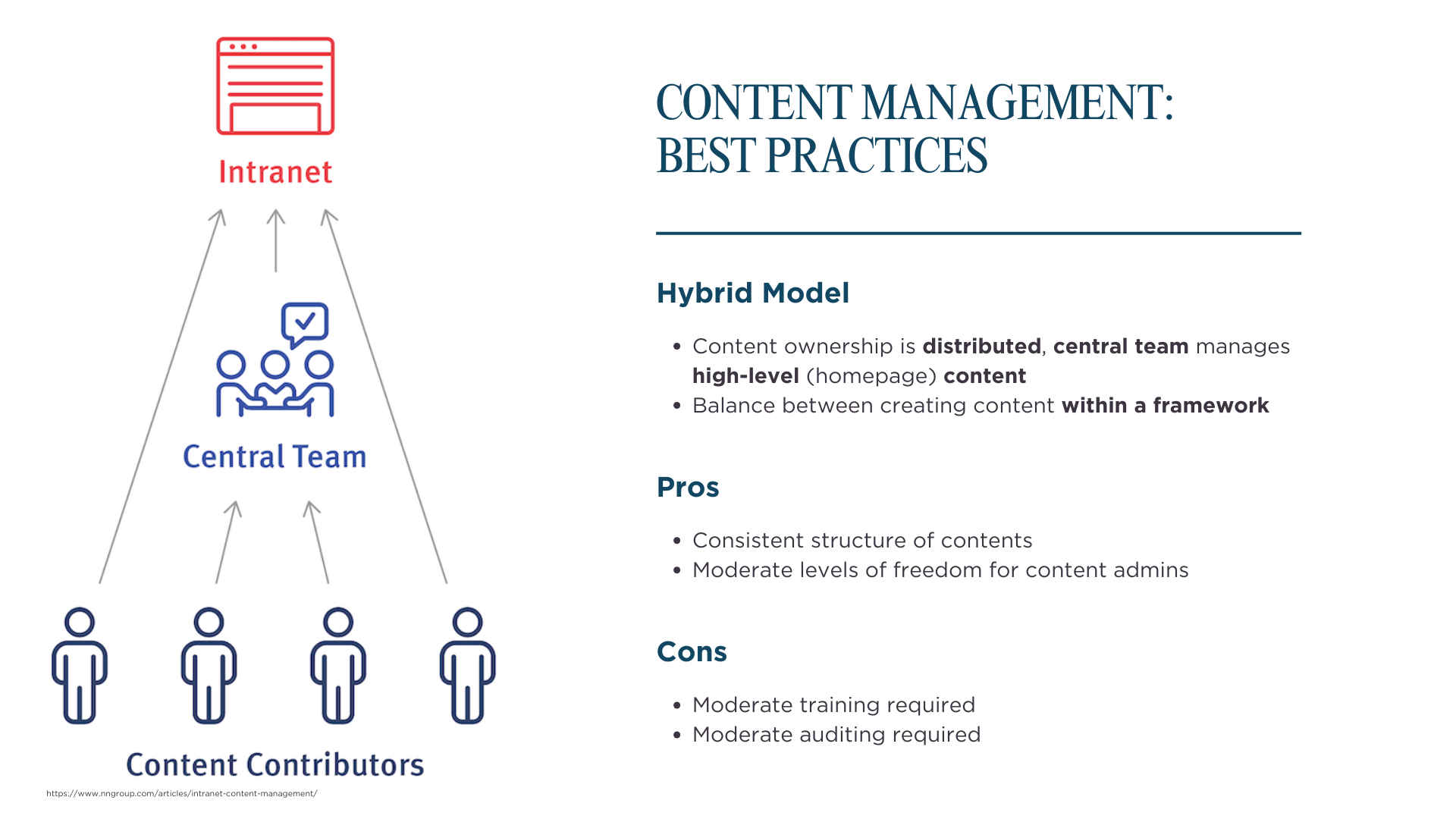
Impact: The client is better positioned more effective content management strategy, ensuring fresher, more comprehensive information on the intranet and improving user trust and engagement.
5. Communication needs of desk staffs and non-desk staffs
Our research revealed minimal differences in intranet sentiment and usage between desk and non-desk staff. However, desk staff did rely on the intranet to access non-desk staff schedules when coordinating collaboration.
Although this insight was not featured in the final results slide deck due to time constraints, it was taken into account during the intranet redesign process.
6. Next steps
Building on the recommendations, our team developed several intranet design concepts that addressed the key issues uncovered through the research.
Reflections
- Elongated timeline due to internal research recruitment. When working as an external contributor for a product used by internal users, budget for a longer timeline due to internal recruitment processes.
- Thoughtful research results structuring. Research results are easier to digest when insights are grouped together based on common themes (e.g., search, navigation, visual clutter, etc.) Avoid grouping insights only based on the research methods used.
Appendix
Diagrams and Artifacts
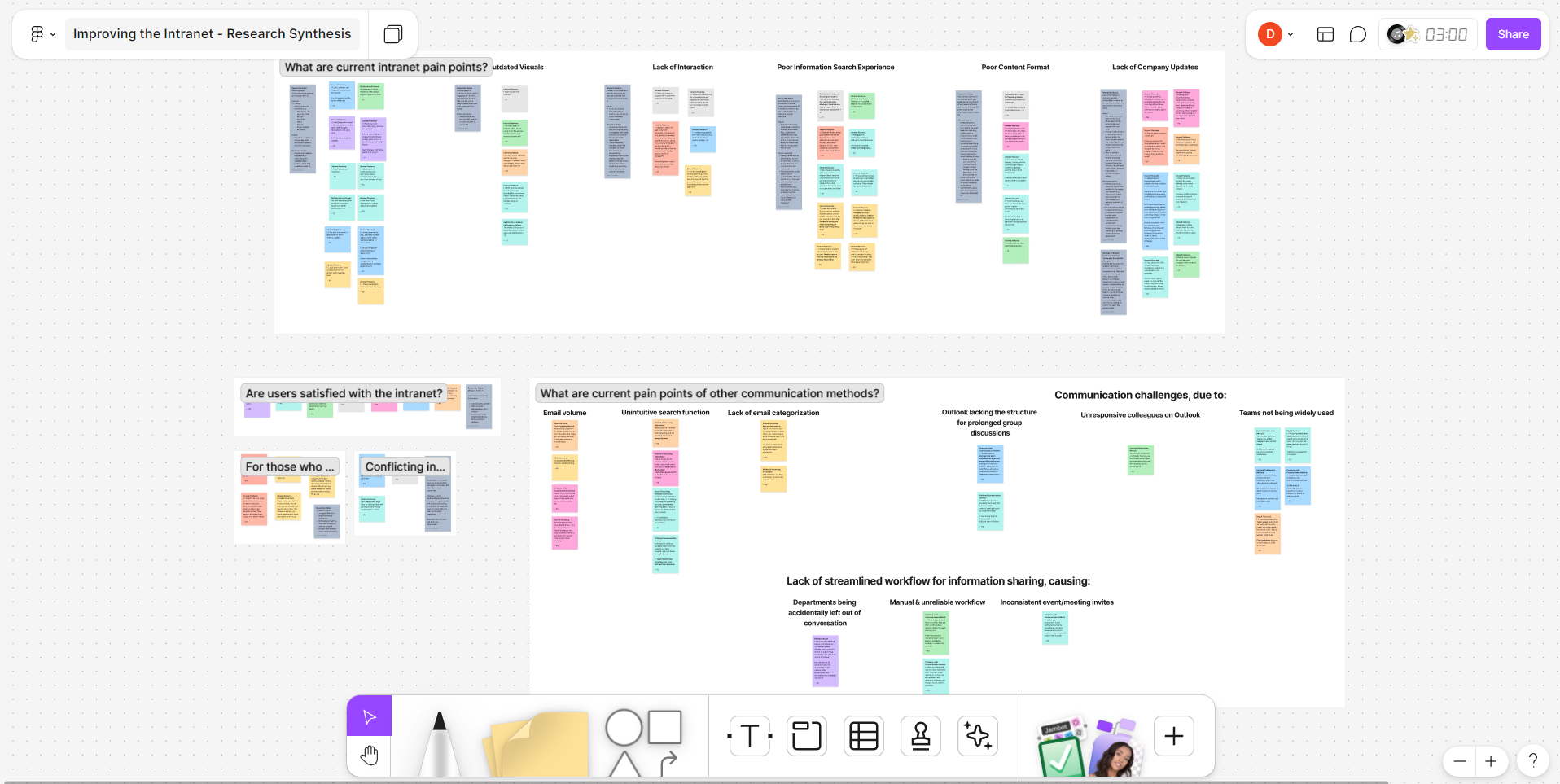
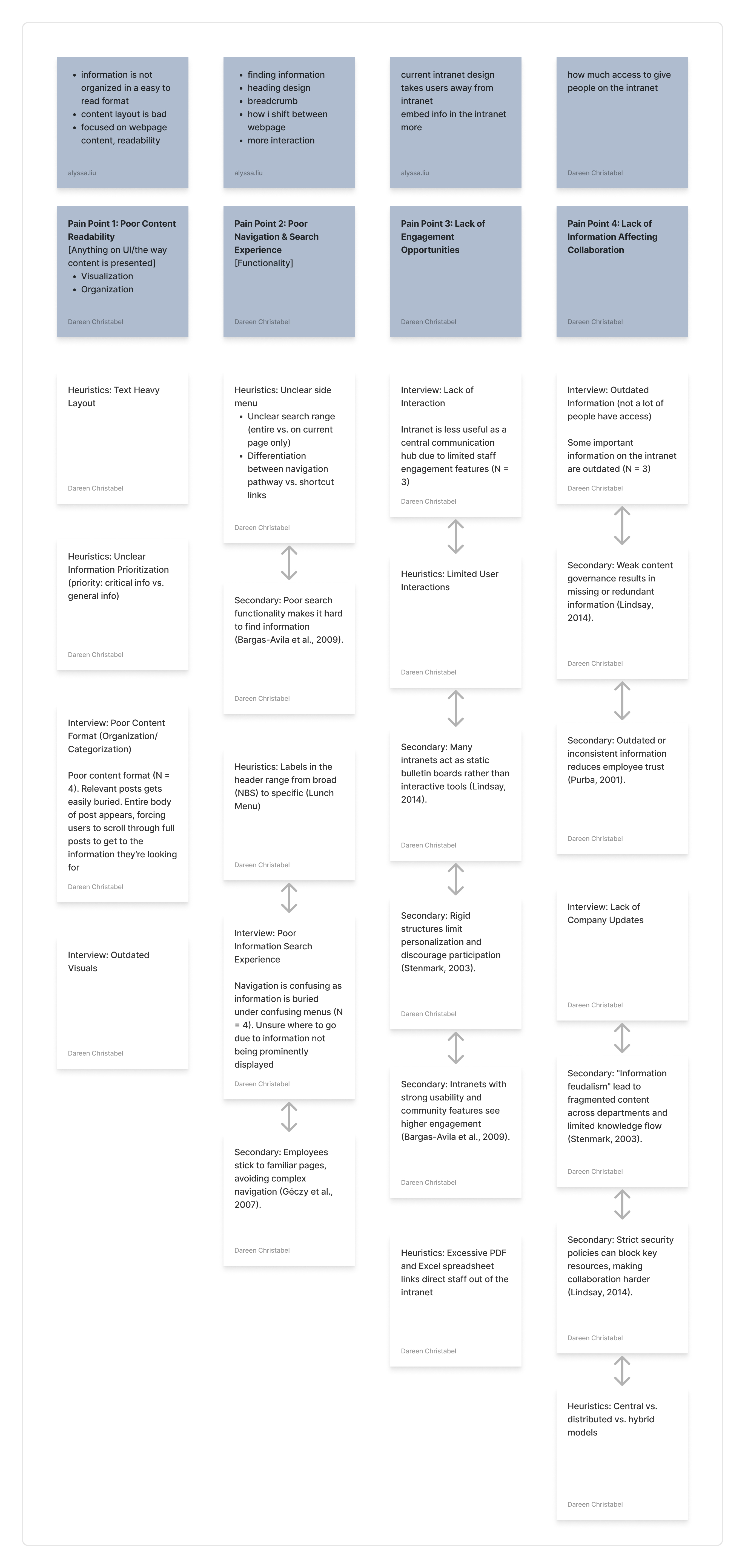
Artifact 1. Complete slide deck of the research results.
Other Documentations
Research Plan
Project Timeline
Interview Script
Research Report
Research Results Slide Deck